| Add proto - logic
diagram displays to your Java, C++, and .NET
applications, for the desktop and rich internet applications.
E-XD++ is a powerful
diagramming and drawing source code component that
enables you to effectively visualize and communicate information
and processes. Create professional-looking graphics and diagram
applications such as flowcharts, network diagrams, database
diagrams, floor plans and much more applications in minutes.
Quickly and easily draw detailed proto logic diagram.
E-XD++ is the perfect proto - logic diagramming component
that helps you create perfect any logic diagram based
application in minutes. It provide almost all the features on
drawing, layout and printing.
With E-XD++ Component,
you can add advanced printing functionality to your
applications. The E-XD++ Library is a 100% C++ data rendering
and visualization system, built specifically for
Visual Studio .NET and designed to bring your User Interface to
the printed page. Now you only need a few days for building a
very powerful proto - logic diagram based application with
advanced printing supports.
It has the following main
features:
1. Ships with 100% VC++ /
MFC Source Codes
2. With over 20 kind of links
3. Links with route
bridge, and over 7 type of bridge style
4. Panning window
5. Support large number of
shapes (Over 10,000) within one canvas.
6. All the source codes
of the following screen shot's features will be sent to you.
7. It also has all the features
of the following link:
Diagramming framework, 2D graphics, multiple pages, Drag and
Drop, Microsoft Visio, Measurement units, Print, Print preview,
Drawing line, Drawing Rectangle, Drawing Ellipse, Drawing Bezier
Line, Drawing Polyline, Drag / Drop OLE Object, Lines Connect,
Line and Curve Connect, Visio 2007 like Ruler, Drawing Arc Line,
Draw Pie Shape, Open and play GIF89a file, Double buffer
drawing, Database Design Diagram Solution, curve line, VC++
Source Code
|
E-XD++ Component is a comprehensive set of
C++ classes that allow you to add
interactive graphics to your application with a
very minimal amount programming. The library
encapsulates not only the drawing of graphical
objects, but it also handles user interaction
with the graphical views of your information.
Such as moving, resizing, rotating, alignment,
etc. The
following is a aircraft demo:
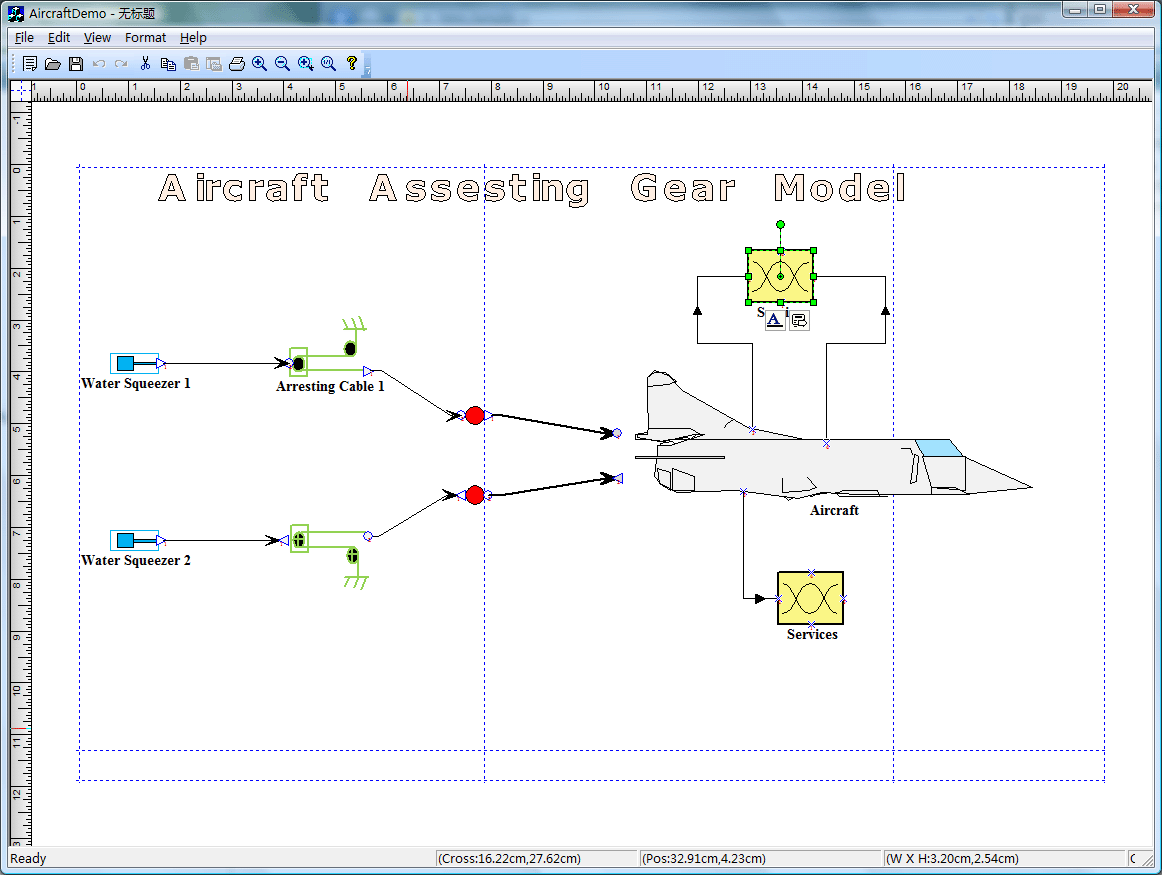
void CAircraftDemoView::OnInitialUpdate()
{
SetCurrentModel(GetDocument()->m_pDataModel);
CFODrawView::OnInitialUpdate();
LoadXdgFromResource(IDR_MAIN,
_T("XdgRes"),
FALSE);
this->ZoomToFitPageWidth();
}
|
|
|

