|
|
||
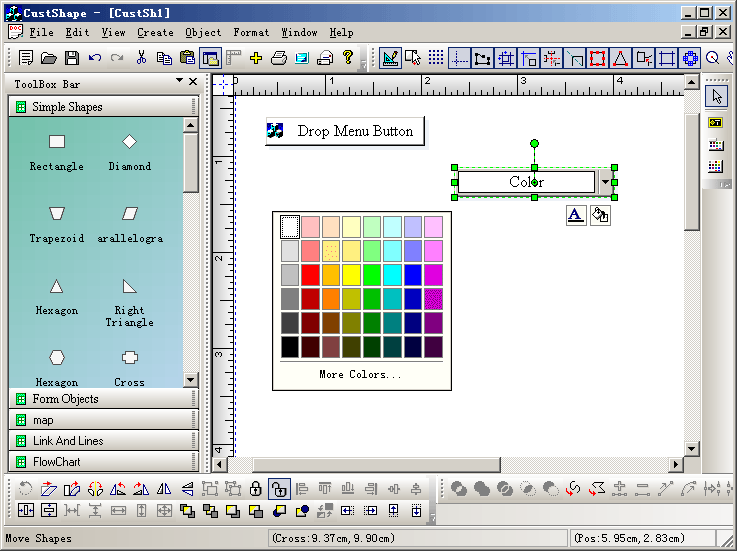
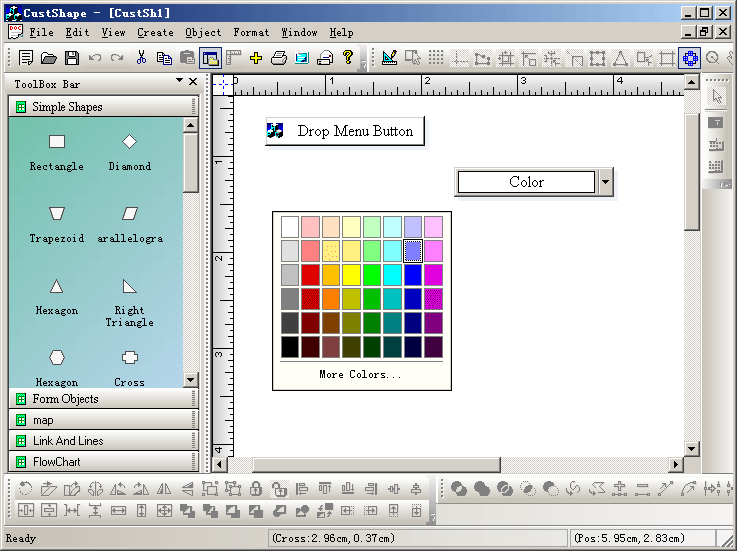
With running mode, you will have messages of any shapes:
Steps: 1.Use the ClassWizard.exe, you can create the following three new classes: CMyColorPickerShape that uses CFODrawPortsShape as base class CMyDropMenuButtonShape that uses CFODrawPortsShape as base class CExtPickerWndShape that uses CFOWndControlShape as base class. 2. Modify the following method of CMyExtDataModel: CFODrawShape *CMyExtDataModel::DoCreateShapeByType(UINT m_drawshape, CRect &rcCreate, CString strFileName, CFOToolBoxItem *pCurItem) { CFODrawShape *pReturn = NULL; CString strCaption; CString strName; strCaption = ""; strName = ""; CPoint ptTrack = rcCreate.TopLeft(); if(m_drawshape != FO_COMP_NONE) { CRect rc(rcCreate); rc.NormalizeRect(); if(rc.IsRectEmpty()||(rc.Width()<=10 && rc.Height()<20)) { switch(m_drawshape) { case MY_DROPMENUBUTTON: { rc = CRect(ptTrack.x-80,ptTrack.y-15,ptTrack.x+80,ptTrack.y+15); } break; case MY_DROPCOLORBUTTON: { rc = CRect(ptTrack.x-80,ptTrack.y-15,ptTrack.x+80,ptTrack.y+15); } break; default: { } break; } } switch(m_drawshape) { case MY_DROPMENUBUTTON: { pReturn = new CMyDropMenuButtonShape; pReturn->AddRef(); pReturn->Create(rc,""); pReturn->UpdatePosition(); strCaption = GetUniqueCaption(pReturn->GetType()); strName = GetUniqueName(pReturn->GetType()); pReturn->SetObjectCaption(strCaption); pReturn->SetObjectName(strName); } break; case MY_DROPCOLORBUTTON: { pReturn = new CMyColorPickerShape; pReturn->AddRef(); pReturn->Create(rc,""); pReturn->UpdatePosition(); strCaption = GetUniqueCaption(pReturn->GetType()); strName = GetUniqueName(pReturn->GetType()); pReturn->SetObjectCaption(strCaption); pReturn->SetObjectName(strName); } break; default: { pReturn = CFODataModel::DoCreateShapeByType(m_drawshape,rcCreate,strFileName); } break; } } pReturn->SetTransparent(TRUE); pReturn->SetBrushType(0); return pReturn; } 3. Add the following codes to CCustShapeView for drawing: void CCustShapeView::OnDrawMenubutton() { // TODO: Add your command handler code here m_drawshape = MY_DROPMENUBUTTON; SetCurrentDrawingCursor(IDC_FO_DRAWRECT_CURSOR); m_action_state = State_DrawRect; m_bUpRightMode = FALSE; } void CCustShapeView::OnUpdateDrawMenubutton(CCmdUI* pCmdUI) { // TODO: Add your command update UI handler code here BOOL bDesign = GetCurrentModel()->IsDesignMode(); pCmdUI->Enable(bDesign); pCmdUI->SetCheck(m_drawshape == MY_DROPMENUBUTTON && (!m_bUpRightMode)); } void CCustShapeView::OnDrawColorbutton() { // TODO: Add your command handler code here m_drawshape = MY_DROPCOLORBUTTON; SetCurrentDrawingCursor(IDC_FO_DRAWRECT_CURSOR); m_action_state = State_DrawRect; m_bUpRightMode = FALSE; } void CCustShapeView::OnUpdateDrawColorbutton(CCmdUI* pCmdUI) { // TODO: Add your command update UI handler code here BOOL bDesign = GetCurrentModel()->IsDesignMode(); pCmdUI->Enable(bDesign); pCmdUI->SetCheck(m_drawshape == MY_DROPCOLORBUTTON && (!m_bUpRightMode)); } void CCustShapeView::OnDrawPickerwnd() { // TODO: Add your command handler code here CMyExtDataModel *pModel = (CMyExtDataModel *)GetCurrentModel(); CRect rcPos(20,20,200,200); pModel->AddColorPicker(rcPos,"Edit with text test",GetFreeControlID()); } void CCustShapeView::OnUpdateDrawPickerwnd(CCmdUI* pCmdUI) { // TODO: Add your command update UI handler code here BOOL bDesign = GetCurrentModel()->IsDesignMode(); pCmdUI->Enable(bDesign); } |
Copyright ?1998-2007 UCanCode.Net Software, all rights reserved.
Other product and company names herein may be the trademarks of their respective owners.
Please direct your questions or comments to webmaster@ucancode.com