|
|
||
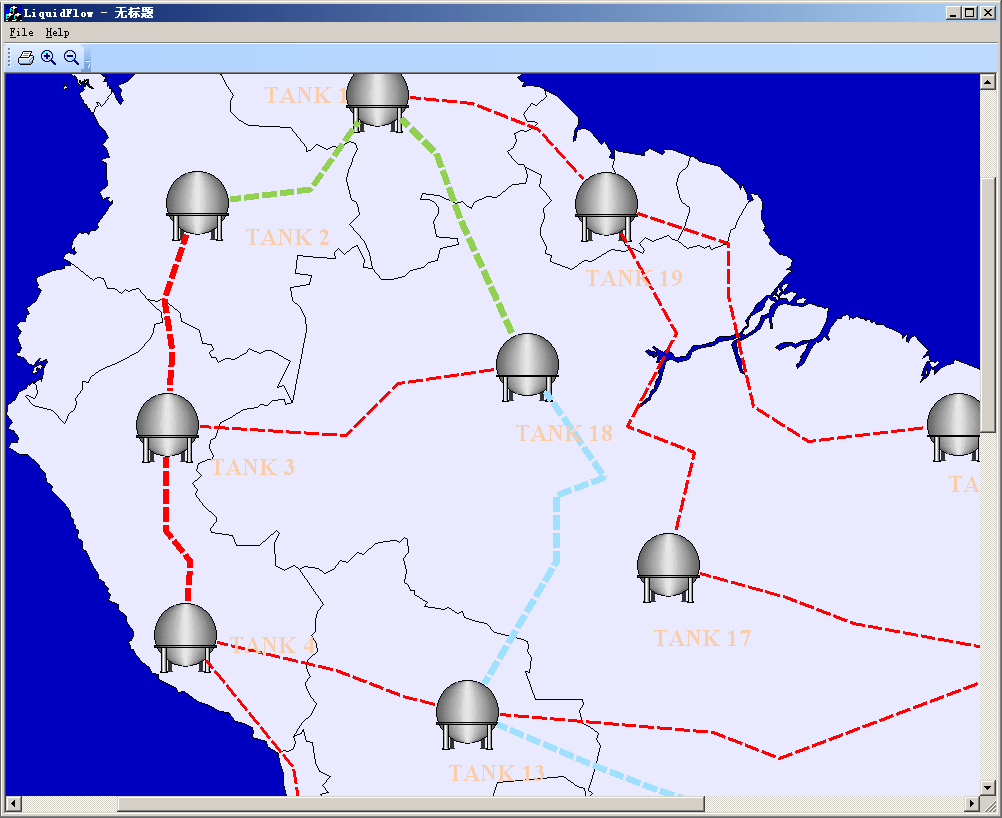
Steps: 1. Design any symbols with ShapeDesigner. 2. Design Xdg file with DiagramEditor, and load with codes: void CLiquidFlowView::OnInitialUpdate() { SetCurrentModel(GetDocument()->m_pDataModel); CFODrawView::OnInitialUpdate(); LoadXdgFromResource(IDR_MAIN, _T("XdgRes"), FALSE); this->SetZoomScale(100); // GetCurrentModel()->SetBkColor(RGB(160,224,255)); GetCurrentModel()->SetDesignMode(FALSE); SetTimer(ID_TIMER_ID, 100, NULL); int xy = 0; for(xy = 0; xy < GetCurrentModel()->GetShapes()->Count(); xy ++) { CFODrawShape *pShape = (CFODrawShape *)GetCurrentModel()->GetShapes()->GetObject(xy); if(HAS_BASE(pShape, CFOPLiquidLinkShape)) { m_list.AddTail(pShape); } } }
3.Animate with codes: void CLiquidFlowView::OnTimer(UINT nIDEvent) { // TODO: Add your message handler code here and/or call default if(nIDEvent == ID_TIMER_ID) { if(m_list.GetCount() <= 0) { return; } POSITION pos = m_list.GetHeadPosition(); while(pos != NULL) { CFOPLiquidLinkShape *pShape = (CFOPLiquidLinkShape *)m_list.GetNext(pos); pShape->DoAnimate(); // pShape->UpdateComp(); } FOPInvalidate(FALSE); } else { CFODrawView::OnTimer(nIDEvent); } } |
Copyright ?1998-2007 UCanCode.Net Software, all rights reserved.
Other product and company names herein may be the trademarks of their respective owners.
Please direct your questions or comments to webmaster@ucancode.com