|
Circuit Design and
interactive simulation, Animation and Cicuit analysis,
Circuit layout
visualization VC++ Source Code solution

Build your own Multisim like
circuit design and simulation application!
Diagrams
are a natural and intuitive way of expressing relationships in
your application data. E-XD++ Components make it easy to
add expressive, interactive Circuit Design and Circuit
Simulation Visualization to your application.
UCanCode's E-XD++ Diagram Component is the most
comprehensive set of tools, components and libraries
for creating graphical editing, visualization, supervision and
monitoring tools for the VC++ / .NET platform. Both
diagrams—displays used to show the relationships between objects
and Circuit drawing and layout can be easily created.
For Building
Circuit Design and Simulation like application, it's very
hard to build the GUI interface, this will take you much long
time. With E-XD++, you will have a world - leading visualization
GUI interface Source Code solution, it will saves you over 90%
on building this kind of GUI.
With E-XD++
Enterprise Edition Suite, it has almost all the features of NI's
multisim on Circuit Drawing and Layout Part:
-
Over 20 kinds
of links that will help you create any kind of circuit
connect Links quickly and easily.
-
Over 30 kinds
of arrows, by override a few virtual methods, you can create
any kind of new arrow styles.
-
With
shapedesigner application, you can use over 1000 kinds of
basic shapes to create very complex circuit symbols.
-
The size of
canvas can be created freely.
-
Advanced print
and print preview supports, you don't need take any time on
print and print preview.
-
Export to
bitmap file or jpeg file supports.
-
Panning and
zooming.
-
With project
setting, you can do circuit design and simulation at the
same place.
-
Add any
customize property values with one line codes.
-
Export any
part of design to an image file.
-
Full tested on
all windows platform includes windows vista.
-
Supports
Visual Studio 6.0, Visual Studio.NET 2003, Visual Studio.NET
2005, Visual Studio.NET 2008
-
Ships with
full documents and 100% source codes.
All the
source codes of the
following screen shots will be shipped with full edition of
E-XD++ Enterprise Edition Suite:
The main screen
shot as below:
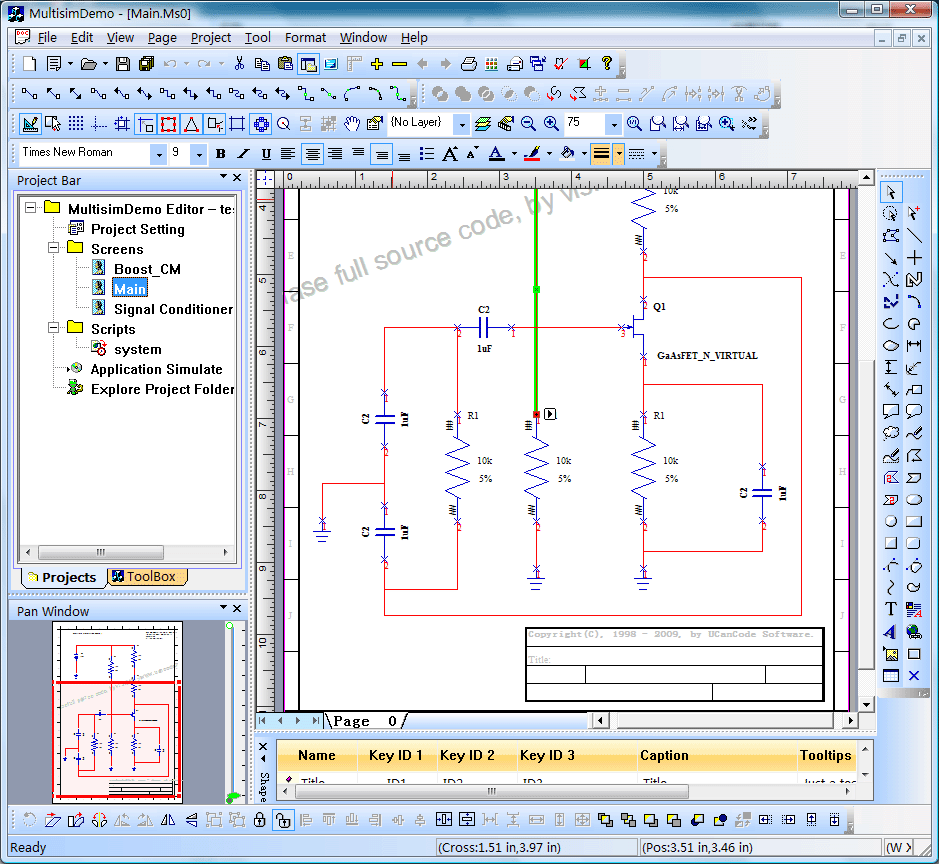
Features:
1. New project:
Create new project
with the following wizard:

2. Open
project & Close Project file.
3. Recent
project files menu items.
4. Project
tree controlbar.

5. Add new
circuit drawing file into project, as below:
6. Add new
script file into project.
7. High -
bird window, as below:

8. Canvas border
and margin, as below:

9. Title block
support, as below:

10. Moving
and editing the label of symbol shape.

11. Connect
between two ports, as below:

12. Net list
It supports
generate excel style net list with all the shapes on the canvas.
13. Zoom the
canvas by move the wheel button of mouse.
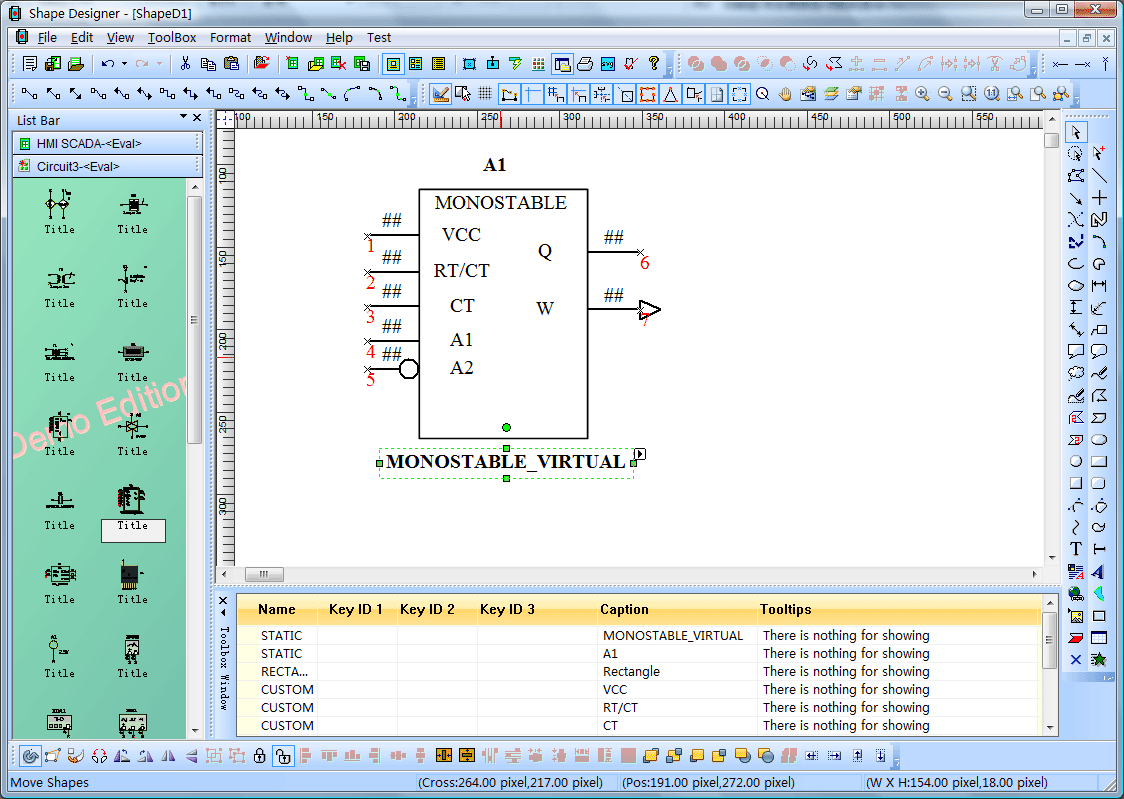
14. Symbol
design:
With shapedesigner
that shipped with E-XD++ Suite, you can design any kind of
circuit symbol quickly and easily, as below:

15. System basic
symbols:
E-XD++ ships over
1000 kinds of symbols, below are a list of them for circuit
drawing:


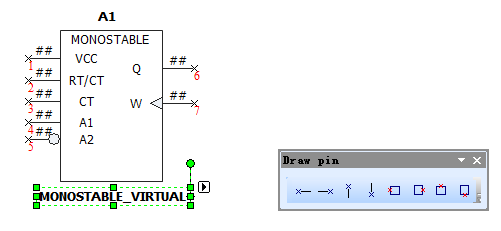
16. Circuit
Symbols Pin Design:
E-XD++'s
shapedesigner includes professional circuit pin design, as
below:
17. Other:
Since the full
edition of E-XD++ Suite has over 500,000 lines full tested VC++
Source Codes, so there are over 1000 features that can be used
for building your circuit application. All the features of this
circuit solution can be full customized.
"Diagramming
business logic when developing a custom application is a
time-consuming, tedious—and necessary—process. With E-XD++
Diagramming Source Code Kit, you can spend more time focusing on
the finer points of your customer's business and less time
worrying about making the business process diagram look good. " |

