|
|
||
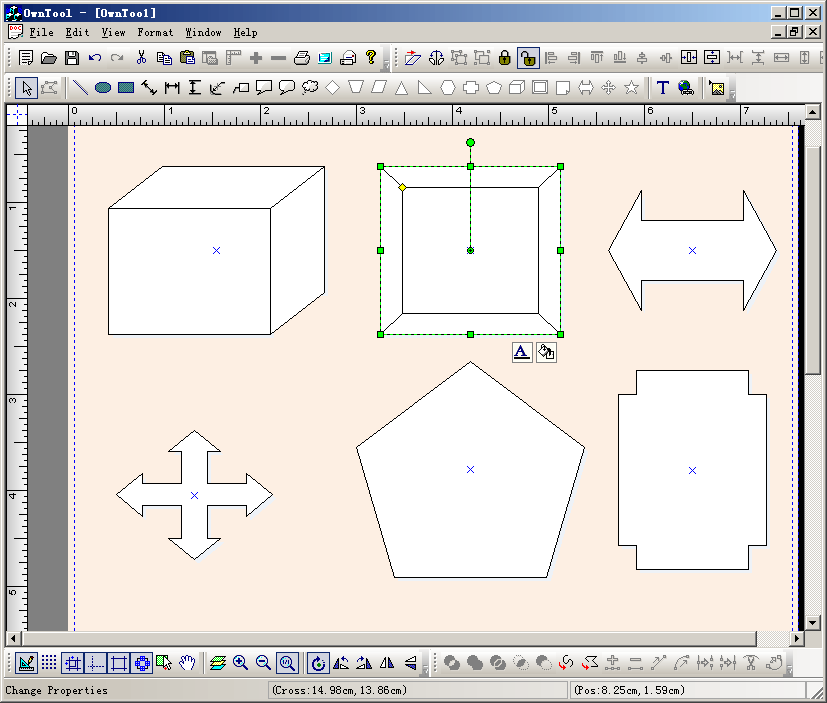
Steps: Draw button with a rectangle drawing tracker, just call the following codes, you need setting the shape ID, the drawing cursor, the action state, and Up - right mode: void COwnToolView::OnDrawBevel() { // TODO: Add your command handler code here m_drawshape = FO_COMP_BEVEL_COMP; SetCurrentDrawingCursor(IDC_FO_DRAWRECT_CURSOR); m_action_state = State_DrawRect; m_bUpRightMode = FALSE; } void COwnToolView::OnUpdateDrawBevel(CCmdUI* pCmdUI) { // TODO: Add your command update UI handler code here BOOL bDesign = GetCurrentModel()->IsDesignMode(); pCmdUI->Enable(bDesign); pCmdUI->SetCheck(m_drawshape == FO_COMP_BEVEL_COMP && (!m_bUpRightMode)); } void COwnToolView::OnDrawCorner() { // TODO: Add your command handler code here m_drawshape = FO_COMP_CORNER_COMP; SetCurrentDrawingCursor(IDC_FO_DRAWRECT_CURSOR); m_action_state = State_DrawRect; m_bUpRightMode = FALSE; } void COwnToolView::OnUpdateDrawCorner(CCmdUI* pCmdUI) { // TODO: Add your command update UI handler code here BOOL bDesign = GetCurrentModel()->IsDesignMode(); pCmdUI->Enable(bDesign); pCmdUI->SetCheck(m_drawshape == FO_COMP_CORNER_COMP && (!m_bUpRightMode)); } |
Copyright ?1998-2007 UCanCode.Net Software, all rights reserved.
Other product and company names herein may be the trademarks of their respective owners.
Please direct your questions or comments to webmaster@ucancode.com