Here you can find
a full VC++ Component (Library) for building any kind of
Process Control diagram
application or SCADA drawing application!
Monitoring GUIs for C++, VB, Java,
and the .NET platform
UCanCode XD++ provides a
complete set of services, consisting of design tools and a
software development kit (SDK), for developers who want to
create a user interface for industrial monitoring
applications. These displays feature highly customized
graphical objects that connect to underlying real-world data.
Developers prefer UCanCode
XD++'s solutions because they are easy to use, completely
customizable, and can deploy to both the desktop and the Web.
|
E-XD++ Library is a
powerful diagram drawing component for creating
professional-looking business, technical drawings and
illustrations for your documents quickly and easily.
E-XD++ Library is the ideal program for creating a wide
variety of flow charts, organization charts, data flow
drawings, and diagrams. Specifically, E-XD++ Can be used
for building any applications that can produce:
|
 |
Business
diagrams, presentations and illustrations |
|
|
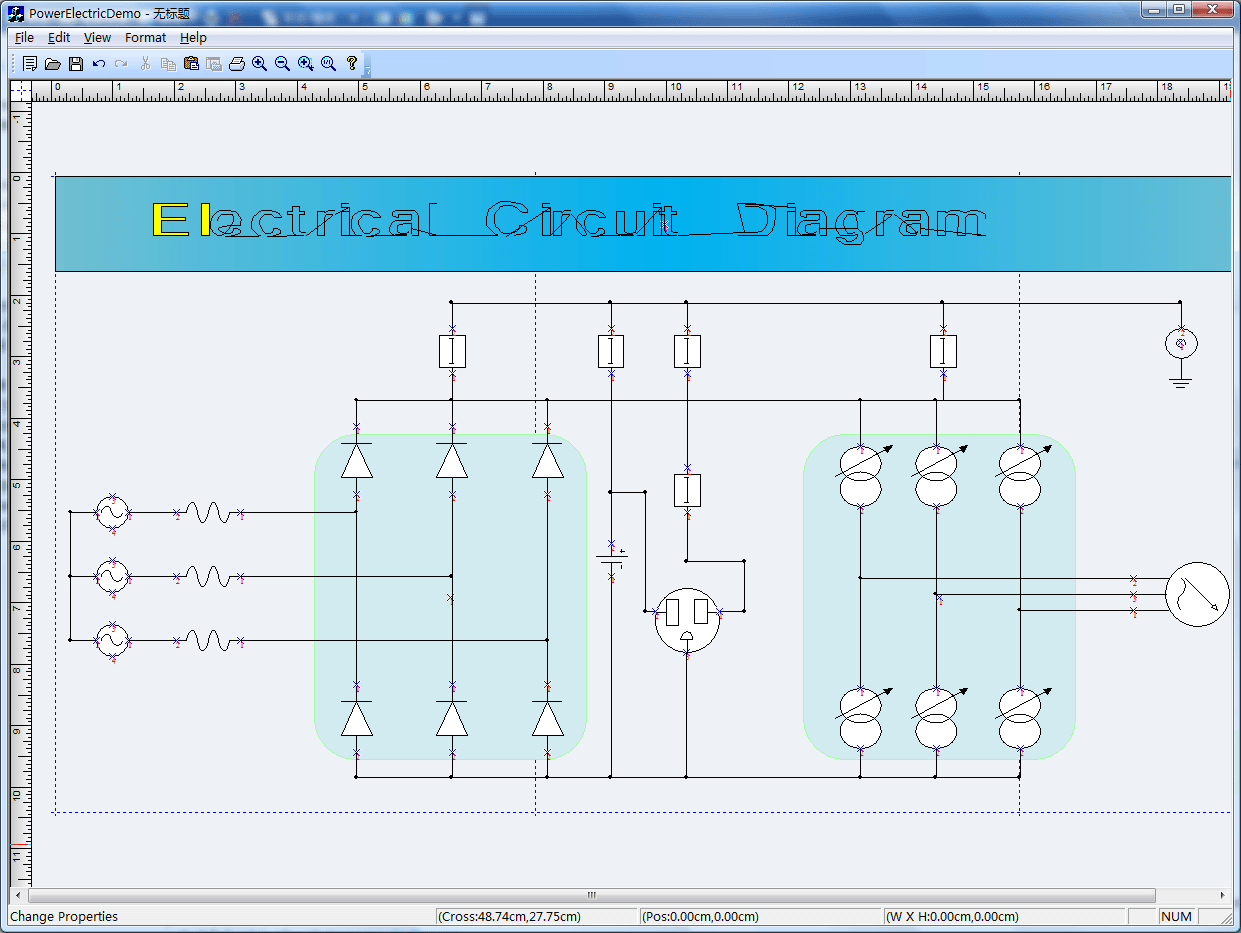
Circuit diagram drawing and
printing |
|
|
|
Organization and
workflow charts |
|
|
Software and
process flowcharts |
|
|
Database structures |
|
|
Engineering
schematics and technical drawings |
|
|
Web-site structures
and network diagrams |
|
|
Schematic diagrams |
|
|
Research layouts
and maps |
|
|
|
|
Floor plans, street
and directional maps, traffic routings. |
|
With E-XD++ Component,
you can add advanced diagram drawing and layout functionality to
your applications. The E-XD++ Library is a 100% C++ data
rendering and visualization system, built
specifically for Visual Studio .NET and designed to bring your
User Interface to the printed page. Now you only need a few days
for building a very powerful HMI and SCADA Process Conrol
diagram based applications.
It has the following main
features:
1. Ships with 100% VC++ / MFC
Source Codes
2. Template setting for
process control diagram drawing.
3. Load and save document file.
4. Multiple pages drawing and
printing
5. Create connectors at any side
of any symbols.
6. Make link line between any
two connectors.
7. Over 15 new style links for
drawing.
8. Link route when bridge.
9. Real - Time reflesh, you can
add time for any shapes on the canvas.
10. All the source codes
of the following screen shot's features will be sent to you. |