ShapeDesigner
With shape designer you can create
any kind of composite shapes that supports drag and drop.
With E-XD++
Enterprise Edition you can
rest assured that most complicated diagrams can be drawn in
minutes using the enormous variety of drawing features of the
component. UCCDraw is a fully customized, highly extensible,
diagramming solution that lets you or your end-user create
professional looking diagrams.
With full edition of
E-XD++, a cool shape designer (A true professional business diagramming and
drawing tool) is shipped, with
this end - user drawing tool,
you can create any composite shape from the over 130 basic shapes,
there is no limits with what kind of composite shape to be able
created or not. As below:
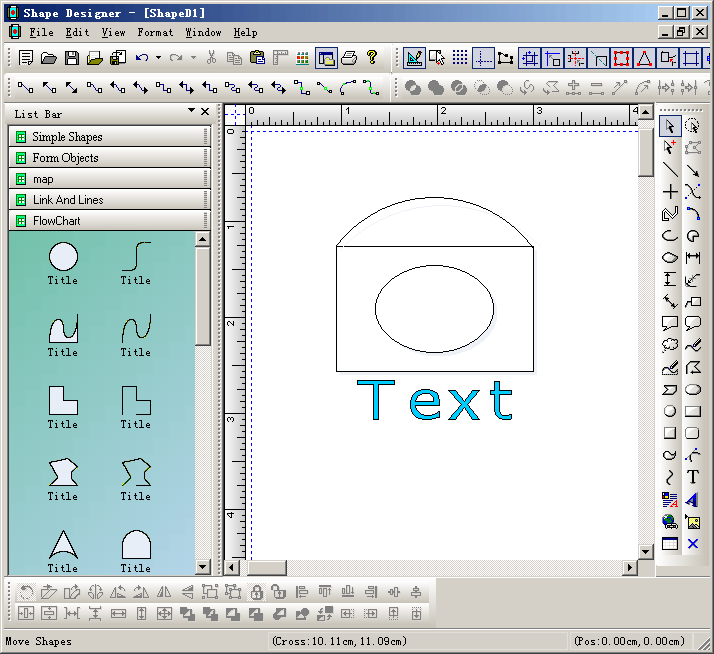
Once the composite
shape is created, you can select all and drag and drop it to the
window at the left side (The toolbox window), then you can drag
this composite shape from the toolbox window and drop it to the
canvas.
For each composite
shape, you can add as many ports (Connect points) as you want.
Steps:
1. Initial the
canvas:
2. Remove all the
ports when any shape is created on the canvas:
void CNewVisualProxy::GenerateDefaultPorts(CArray<FOP_PortScale,FOP_PortScale>*
mpSpot,const int &nShapeType)
{
mpSpot->RemoveAll();
}
3. Change the skin
of drawing:
//E-XD++ Library add
lines.
FOInit(RUNTIME_CLASS(CNewVisualProxy));

