|
|
||
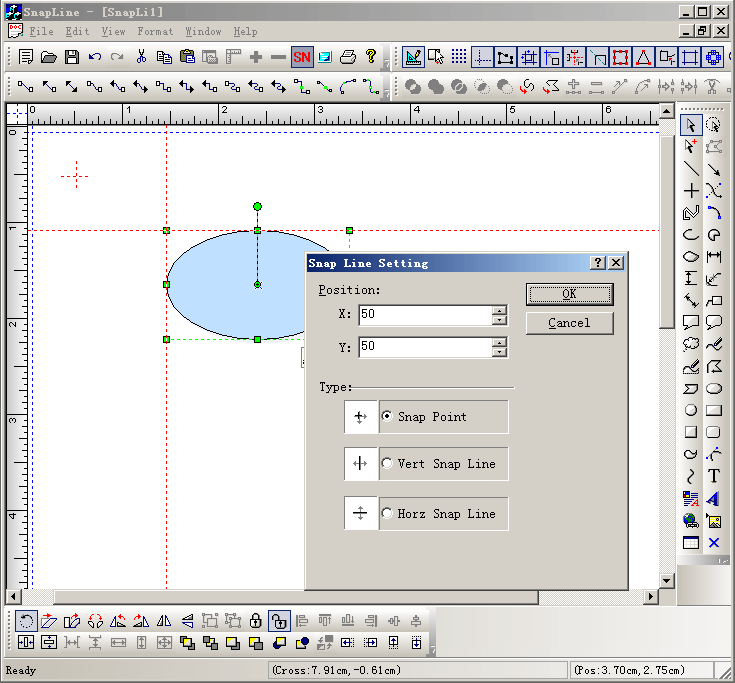
Steps: Call the codes as below: void CSnapLineView::OnAddSnapline() { // TODO: Add your command handler code here CSnapLineDlg dlg; if(dlg.DoModal() == IDOK) { CPoint pt = CPoint(dlg.m_x,dlg.m_y); switch(dlg.m_nType) { case 0: { CFOPHelpLine *pLine = new CFOPHelpLine(FOP_LINE_POINT,pt); GetCurrentModel()->AddNewHelpLine(pLine); Invalidate(FALSE); } break; case 1: { CFOPHelpLine *pLine = new CFOPHelpLine(FOP_LINE_VERTICAL,pt); GetCurrentModel()->AddNewHelpLine(pLine); Invalidate(FALSE); } break; case 2: { CFOPHelpLine *pLine = new CFOPHelpLine(FOP_LINE_HORIZONTAL,pt); GetCurrentModel()->AddNewHelpLine(pLine); Invalidate(FALSE); } break; } } }
|
Copyright ?1998-2007 UCanCode.Net Software, all rights reserved.
Other product and company names herein may be the trademarks of their respective owners.
Please direct your questions or comments to webmaster@ucancode.com