|
|
||
And
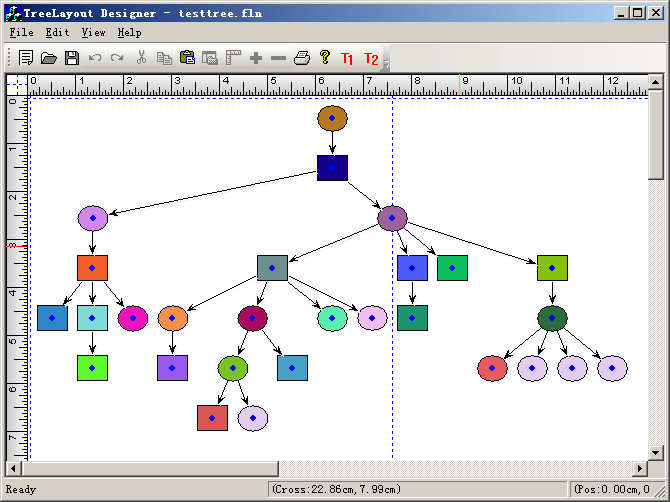
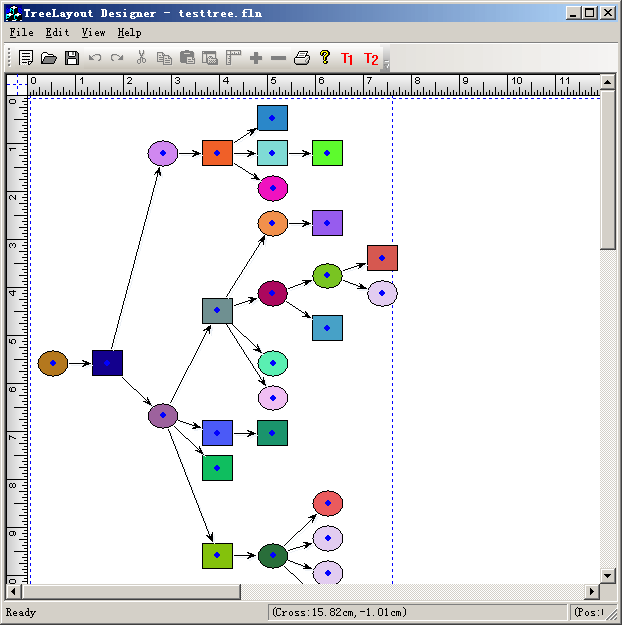
Steps: 1. Initial the canvas: void CTestTreeLayoutView::DoChangeModel(CFODataModel * pModel) { CFODrawView::DoChangeModel(pModel); // Adding your data model init codes here.. CSize szCanvas = CSize(3000,3000); pModel->SetCanvasSize(szCanvas); GetCurrentModel()->SetBorderShow(FALSE); GetCurrentModel()->SetPageBkColor(RGB(255,255,255)); GetCurrentModel()->SetGridColor(RGB(0,0,0)); GetCurrentModel()->SetGridLineType(GRID_DOT); pModel->ShowGrid(FALSE); } 2. Do tree layout: void CTestTreeLayoutView::OnTestTree() { // TODO: Add your command handler code here CFOPHorzLayout layout; layout.Initialize(*GetCurrentModel()->GetFormObjects()); layout.DoLayout(); FOPInvalidate(); } void CTestTreeLayoutView::OnTestTree1() { // TODO: Add your command handler code here CFOPVertLayout layout; layout.Initialize(*GetCurrentModel()->GetFormObjects()); layout.DoLayout(); FOPInvalidate(); }
|
Copyright ?1998-2007 UCanCode.Net Software, all rights reserved.
Other product and company names herein may be the trademarks of their respective owners.
Please direct your questions or comments to webmaster@ucancode.com