|
|
||
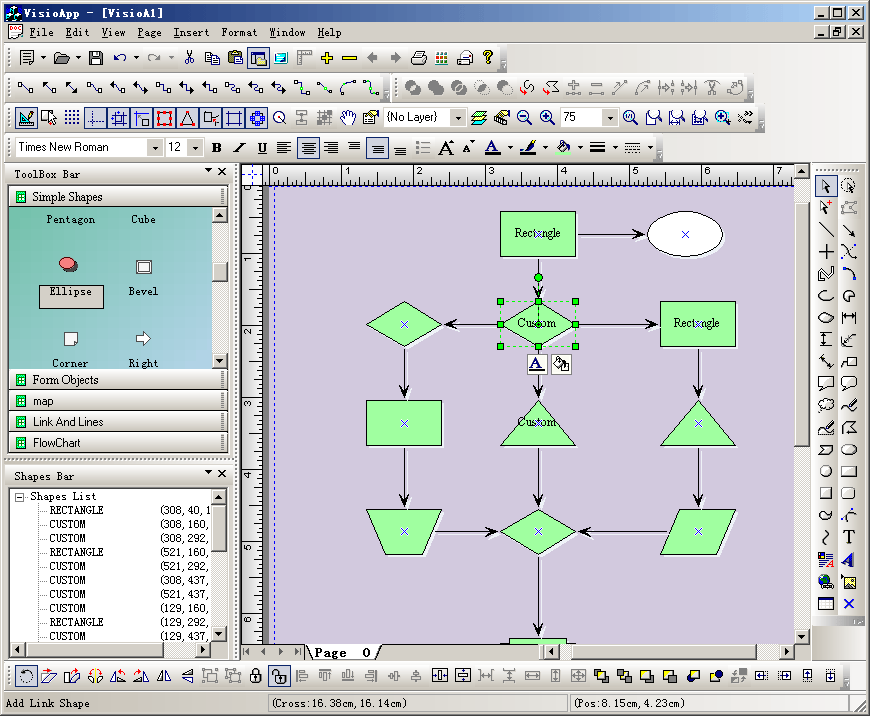
Steps: 1. Create a new class CExtTabModel that uses CFOTabPageModel as base class. 2. Create a new class CExtTabModelManager that uses CExtTabModelManager as base class. 3. Create a new class CVisioAppView that uses CFOTabPageView as base class. 4. Create Visio like tab pages: BOOL CChildFrame::OnCreateClient(LPCREATESTRUCT lpcs, CCreateContext* pContext) { // TODO: Add your specialized code here and/or call the base class pContext->m_pNewViewClass = RUNTIME_CLASS(CVisioAppView); // creates the tab window CVisioAppDoc* pDoc = (CVisioAppDoc*) pContext->m_pCurrentDoc; CExtTabModel *pModel = (CExtTabModel *)pDoc->m_pModelManager->InsertTab(); VERIFY(m_wndTab.Create(this,pDoc->m_pModelManager,pContext)); // next sheets m_wndTab.InsertPage(pModel,pContext); return TRUE; }
void CChildFrame::OnFoAddNewpage() { // TODO: Add your command handler code here CVisioAppDoc* pDoc = (CVisioAppDoc*)GetActiveDocument(); CExtTabModel *pModel = (CExtTabModel *)pDoc->m_pModelManager->InsertTab(); m_wndTab.InsertPage(pModel,NULL); } void CChildFrame::OnFoRemovePage() { // TODO: Add your command handler code here CVisioAppDoc* pDoc = (CVisioAppDoc*) GetActiveDocument(); int nCurrentTab = m_wndTab.GetTabControl()->m_nSelect; if(m_wndTab.RemoveTab(nCurrentTab)) { pDoc->m_pModelManager->DeleteTab(nCurrentTab); } } |
Copyright ?1998-2007 UCanCode.Net Software, all rights reserved.
Other product and company names herein may be the trademarks of their respective owners.
Please direct your questions or comments to webmaster@ucancode.com